

Canadian Dollar Payments to Wayfaring Walks can be paid easily by using Interac.
Sent from either your phone or computer with online banking access.
> Log-on to Internet Banking
> Select to make a payment using Interac e-transfer
Payment to:
[email protected]
Amount:
Canadian Dollar Amount
Memo Ref:
Your Family Name
> Confirm that the details are correct
> Press Send
For more detailed instructions see below, or download the pdf.
Sign in to your financial institution’s online banking service.

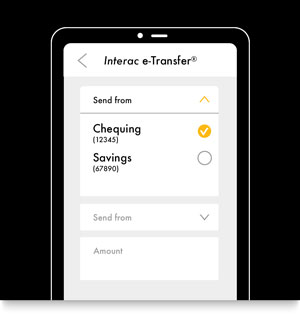
Select the account that you will be sending the funds from.
Wayfaring Walks have a Canadian Bank Account and are registered for Autodeposit.
The first time you are sending us money, you have to add us to your list of recipients using our email address:
[email protected]
Be sure to verify these details are correct.

Transaction limits are set by your financial institution and are typically $2,000 to $3,000 per transaction*.
Please contact your financial institution for more information.
* If your transaction limit is less than the total sum, please split the total up into multiple payments.
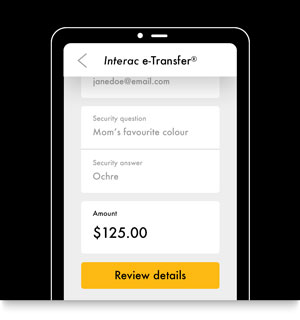
This includes adding a message within the memo field, which in our case, is:
Your Family Name

If you have additional questions about using Interac,
click here for more details from their website.